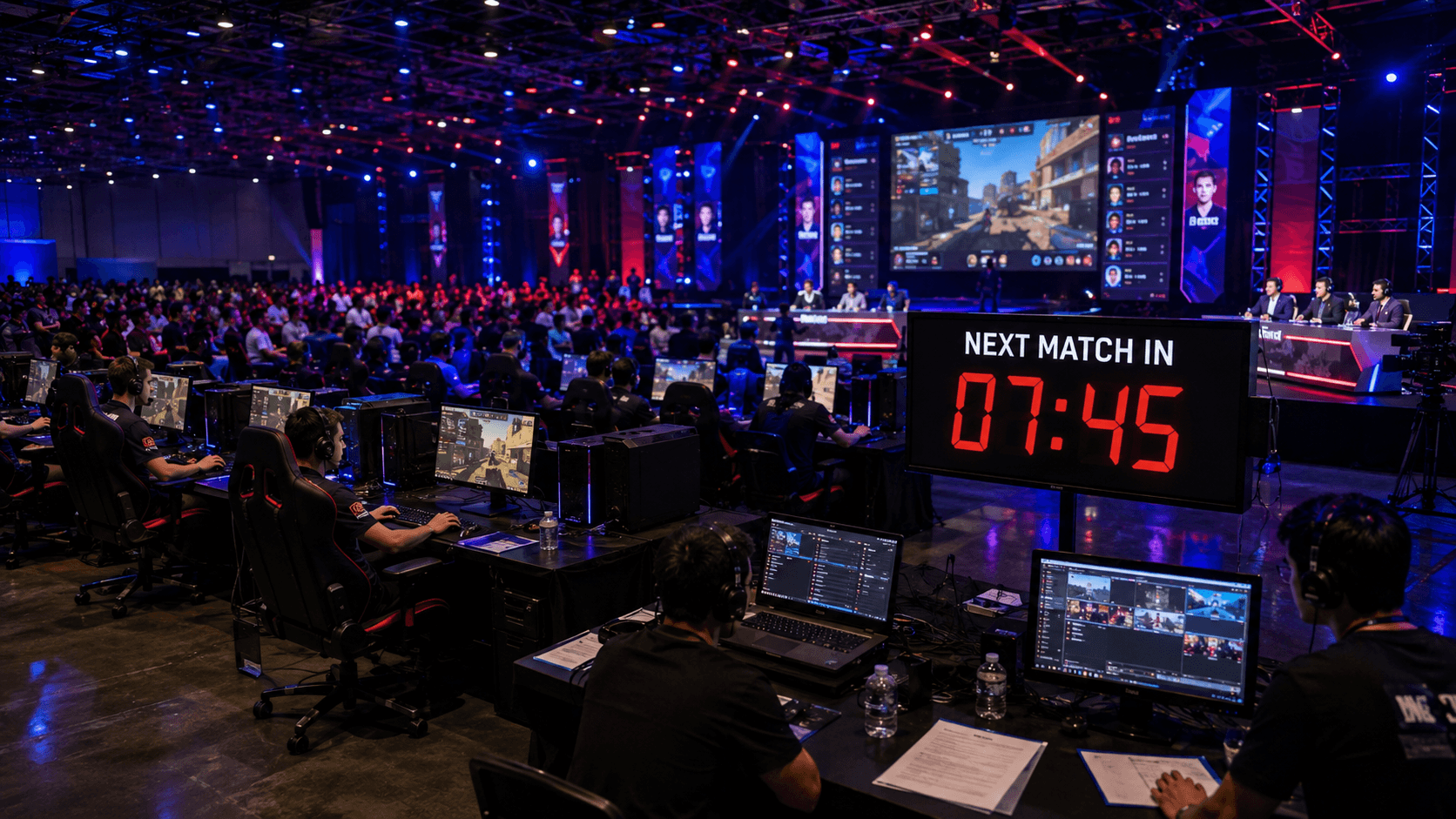
LAN tournaments, collegiate gaming competitions, gaming festivals, and professional esports events attract sizable crowds of players, organizers, casters, and spectators; gaming is no more merely a form of enjoyment at home. Effective time management is just as important to the success of such events as fast networks and top-notch gaming sets.
In a LAN competition, several matches may take place in one day. Player registration, warm-ups, match preparation, technical checks, breaks, team changes, and the finals are just a few of the phases that make up the schedule. All subsequent matches may be delayed if any one of these tasks takes longer than anticipated.
A countdown timer is a useful timing tool for LAN competitions in these situations. A clear countdown helps to guarantee that the tournament goes more smoothly by letting players and organizers know exactly how much time is left for an activity and when the next match is scheduled to start.
What is a LAN tournament?
Local Area Networks are referred to as LANs. A local network connects several gaming PCs or devices, and players participate in matches at the same physical location during a LAN gaming tournament.
These competitions can be held in a number of locations, from big gaming arenas to tiny gaming cafes and college campuses.
Because there are so many teams and individuals participating in a LAN competition, scheduling becomes essential. Every match must begin on schedule, and organizers must make sure that the next group of players has enough time to be ready.
Why is time management crucial in LAN tournaments?
Let's say a gaming competition has twelve games in a single day. Even a five or ten-minute delay in the early matches might cause the final matches to start much later than planned.
This may result in a number of problems.
Long wait periods for players, a decline in crowd engagement, and disruptions to the venue schedule are all possible. The broadcast schedule may also be impacted if the event is being streamed live.
As a result, tournament organizers must be mindful of preparation and transition times in addition to match schedules.
How does a countdown timer help in a LAN tournament?
A countdown timer keeps players and organizers informed about the overall gaming schedule during a local area network (LAN) competition. The timer clearly shows the amount of time left before a match starts, enabling participants to arrive at their gaming stations in time to finish setup, adjust game settings, and inspect their gear. This reduces needless delays in the commencement of the game.
Countdown timers can be used for team transitions, player preparation, warm-ups, and breaks in addition to the start of a game. It is easier for tournament staff to efficiently manage the schedule when the time permitted for each activity is displayed, and it guaranties that players know when to prepare for the following activity.
Stage timer controllers and other timing solutions enable the countdown to be controlled from a single device and shown on several screens as needed in huge LAN tournaments. This makes it possible for the entire gaming event to be run more smoothly and professionally by giving tournament administrators, casters, and other team members clear timing information.
What are the benefits of Remote Timer Control?
The tournament organizer no longer has to be close to the timer display thanks to Remote Timer Control. While the countdown is still visible in the gaming area or on the caster screen, an operator can control the timer from a laptop or other device.
Technical difficulties, player setup requirements, or other considerations may cause schedules for gaming events to vary. In these circumstances, the countdown can be modified by remote control as necessary, guaranteeing that everyone is aware of the revised timing.
For big LAN competitions, remote timing devices like stage timer controllers are quite helpful. They make it simple to schedule team transitions, match starters, and breaks from one place.
Best Practices for Using a Countdown Timer:
The countdown timer and all displays should be thoroughly tested prior to the start of a LAN competition or gaming event. It is easier to maintain the tournament's schedule when match starts, player setups, warm-ups, breaks, and team transitions are scheduled in advance.
Place the timer display so that gamers, casters, and other staff members can see how much time is left. Multiple monitors can be used as needed if there are several gaming areas.
If there are any technical issues or timetable modifications, it is imperative that the countdown be updated very away. Better timing and synchronization during the gaming event are ensured by tools like stage timer controllers, which enable the timer to be controlled and altered remotely.
Stage Timer Controller for LAN Tournament Organizers:
The timing system in a LAN tournament must be simple to operate and compatible with the workflow of the event. A stage timer controller shows the audience how much time is left while making it easier to manage countdowns using a control device.
Match starters, player preparation, breaks, caster segments, and team transitions are just a few of the tournament activities for which it can be used. This guaranties that the athletes and the production team can communicate more clearly about timing.
Particularly at gaming events where the admin desk and the main game area are physically separated, a remote time solution can greatly simplify tournament management.
Conclusion:
It takes more than just starting games on time to be a successful time manager in LAN competitions and gaming events. The overall tournament timetable is influenced by a number of minor phases, including player registration, warm-ups, setup, breaks, technical delays, and team transitions.
A countdown timer makes it obvious how much time is left for each of these tasks. This helps casters finish their portions on time, helps players get ready on time, and allows tournament staff to efficiently manage the schedule. Organizing the gaming event experience can also be achieved by showing the audience a countdown to the next match.
Whether for a local LAN competition or a large-scale gaming event, organizers may effectively manage the entire workflow with the correct time configuration. In order to make the event more structured, professional, and timely, features like viewer displays, remote controllers, and clear countdowns are essential.